Follow-Up Timing
How Do You Know When To Follow Up?
One of the most common document workflow mistakes is poor follow-up timing. Follow up too early and you create pressure. Follow up too late and momentum disappears.
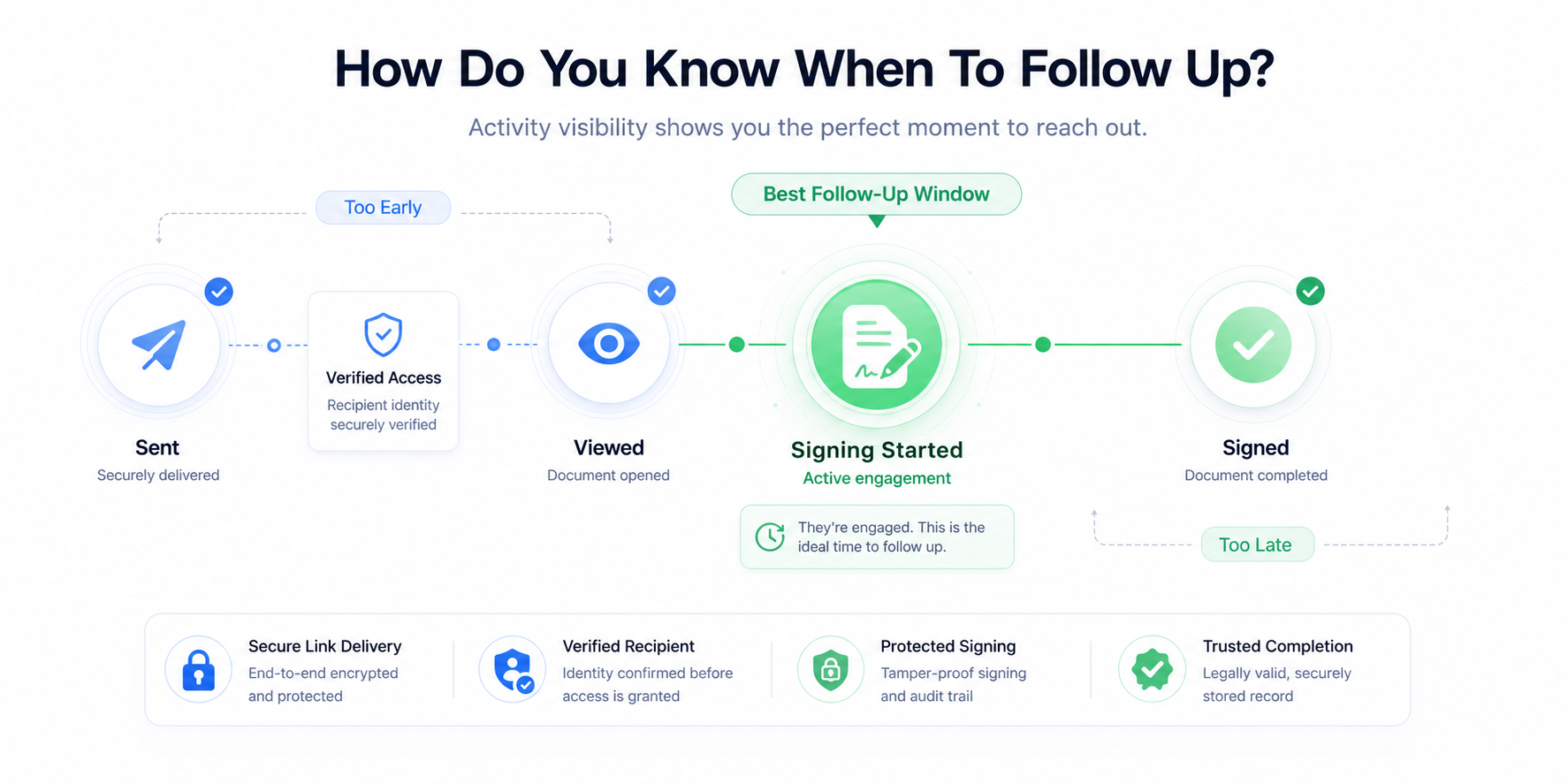
Why timing matters
Most senders rely on guesswork. They ask themselves:
- Should I call today?
- Should I wait another day?
- Have they even looked at the document?
- Are they interested?
Without visibility, every follow-up becomes a judgment call. Peekop reframes that with Follow-Up Timing Intelligence, using Viewed and Signing Started to help the sender decide whether to wait, observe, or reach out.
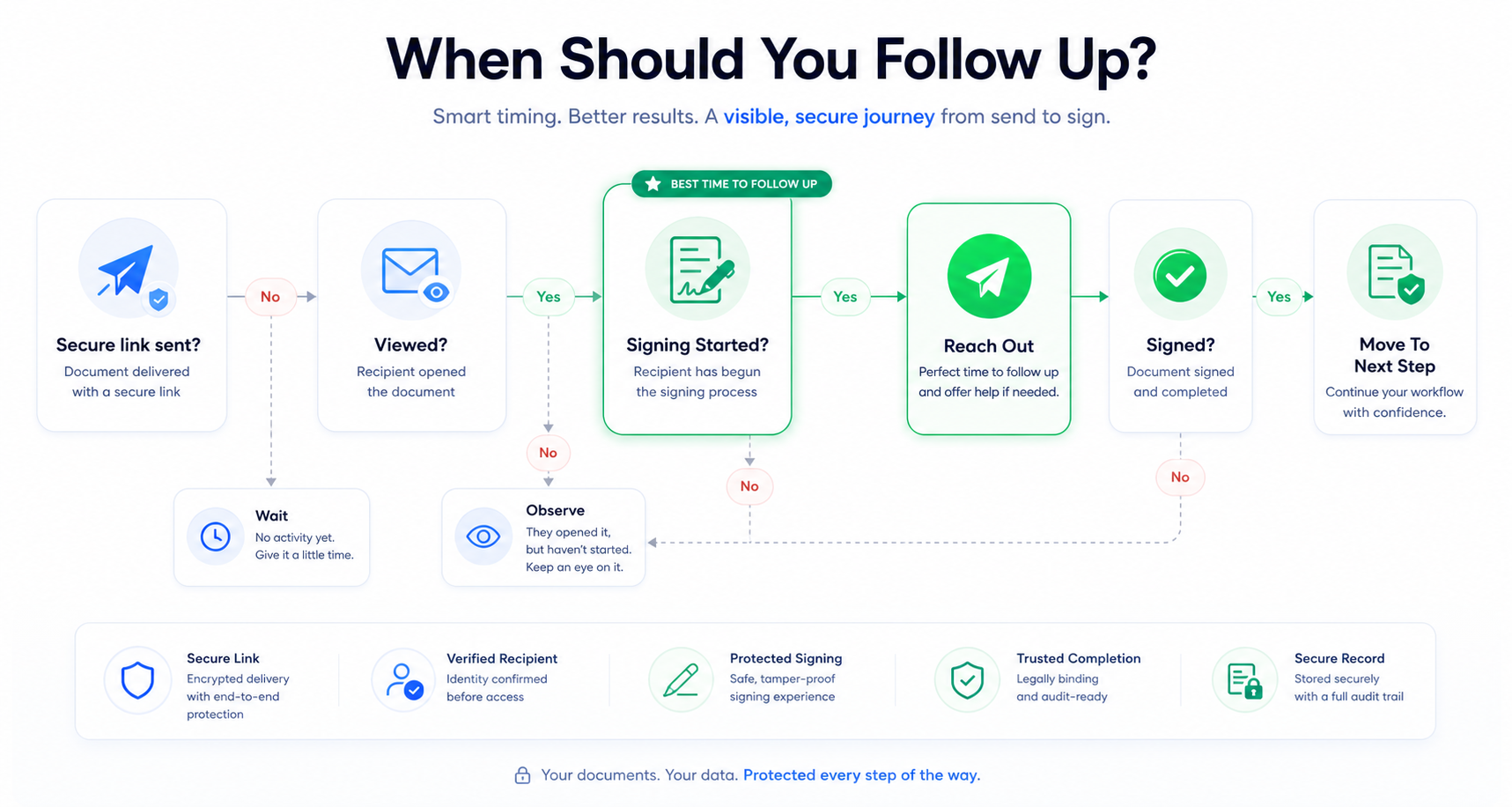
Sent
Very little information. Following up immediately after sending is rarely useful.
Viewed
Confirms awareness, but does not necessarily indicate intent.
Signing Started
Often the strongest live signing visibility signal and the best follow-up window.
Signed
The document is complete. Follow-up shifts to next-step execution.
The goal of follow-up
Effective follow-up is not about applying pressure. It is about helping the recipient complete the process successfully.
Consider waiting when the document was only recently sent or when there are no live signing visibility signals. Consider reaching out when the recipient has reached Signing Started but has not finished, or when the workflow appears stalled.
Good timing creates trust. Poor timing creates friction.
Continue Learning
This page completes the first Peekop concept cluster around live signing visibility, active completion, and follow-up timing.